> ## Documentation Index
> Fetch the complete documentation index at: https://docs.trendcore.tech/llms.txt
> Use this file to discover all available pages before exploring further.
# PhotoModel
> Create a reusable visual model that becomes the foundation for future Looks and PhotoSets.
Start here
## What PhotoModel does
The **PhotoModel** module is used to create a reusable visual model that serves as the foundation for future generations.
This is the recommended starting point inside Fashion Pro. The PhotoModel defines the visual identity of the subject and can later be used in other modules to support more consistent results.
The module is launched from the menu via **/createmodel**
## Before you start
Upload a photo of an **adult person**. The module does not currently support creation based on images of children or teenagers.
If an uploaded image contains a child or teenager, the system will show a warning and ask the user to upload a photo of an adult instead.
## How the module works
Launch the module from the main menu.
Upload a photo of an adult person whose appearance will be used as the basis for the new PhotoModel.
The system analyzes the photo and generates a short description of the future PhotoModel.
You can add extra reference images and specify which feature should be transferred from each image.
At any point after the first reference image is uploaded, you can proceed to generation.
## Refining the PhotoModel
You can refine the future PhotoModel by sending additional images and specifying which feature should be transferred from each image.
Examples include:
* hairstyle
* moustache
* eyes
* lips
* other facial or visual characteristics
You can add refinement references up to **three times**.
You do not need to use all three refinements. If the result already looks right, you can create the PhotoModel immediately.
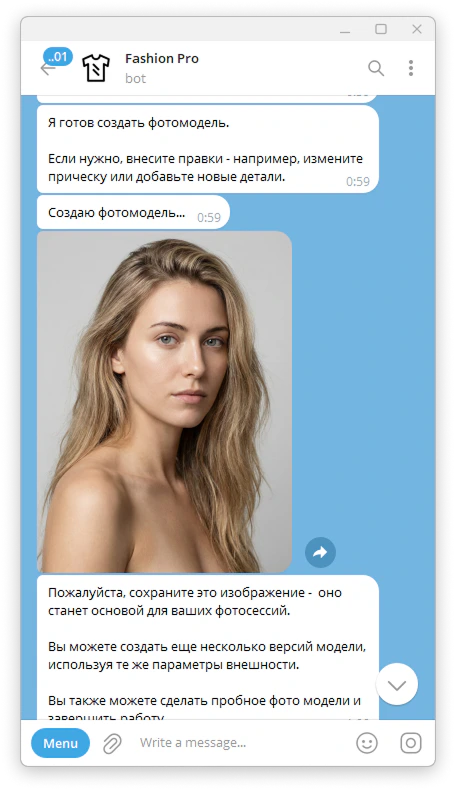
## In-progress example
The screenshot below should show the module after the base image has already been processed and the user is adding an extra reference to transfer a specific feature.
 ## Result
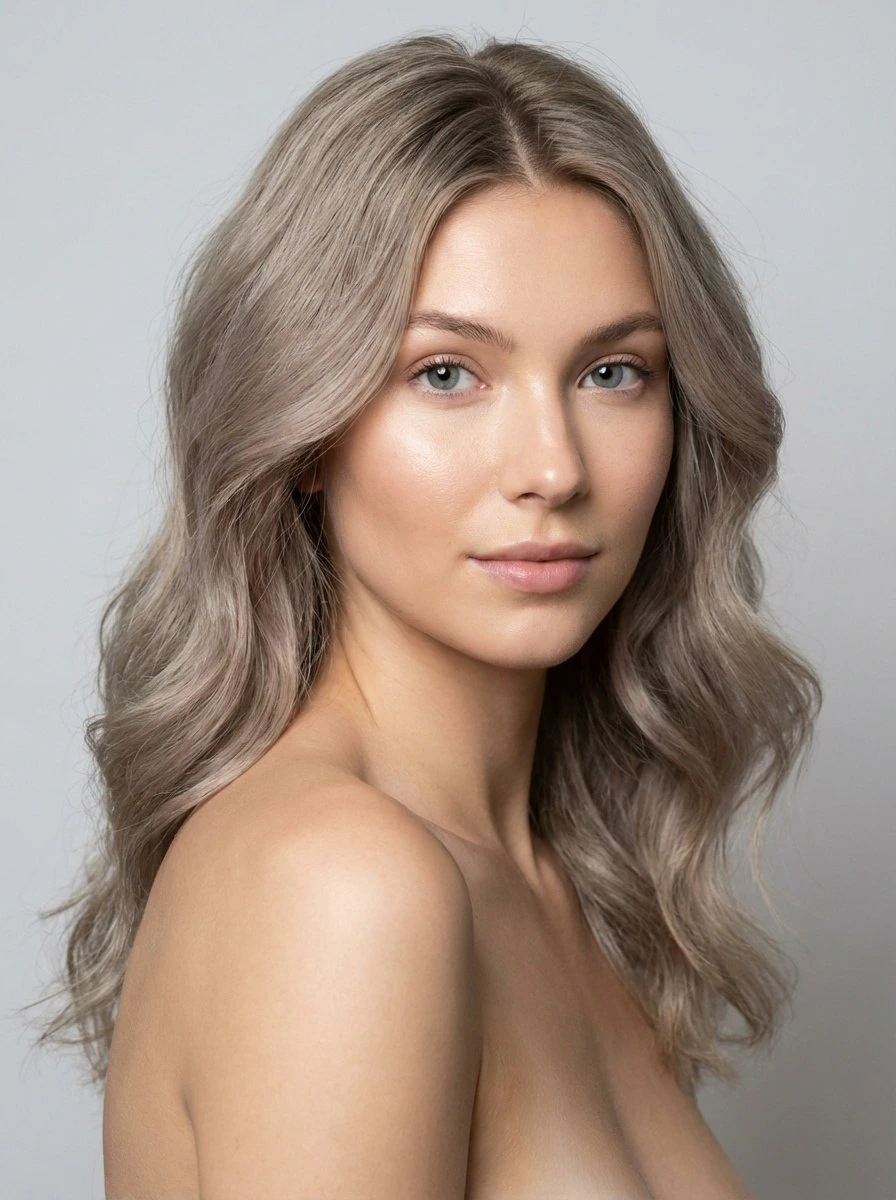
After generation, you receive a photorealistic PhotoModel image that can be reused in future Looks and PhotoSets.
The result is intended to function as a reusable visual asset inside the Fashion Pro workflow.
## Tips for better results
Use a clear adult reference photo with a visible face and easily recognizable features.
When adding refinement references, focus on one meaningful feature at a time. This makes the requested transfer clearer and easier for the system to interpret.
If the first generated result does not feel specific enough, it is often better to refine the PhotoModel before moving on to the next module.
## Example outputs
### Generated base model
## Result
After generation, you receive a photorealistic PhotoModel image that can be reused in future Looks and PhotoSets.
The result is intended to function as a reusable visual asset inside the Fashion Pro workflow.
## Tips for better results
Use a clear adult reference photo with a visible face and easily recognizable features.
When adding refinement references, focus on one meaningful feature at a time. This makes the requested transfer clearer and easier for the system to interpret.
If the first generated result does not feel specific enough, it is often better to refine the PhotoModel before moving on to the next module.
## Example outputs
### Generated base model
 ### Refined model with transferred features